

Implementing Salesforce is more than just buying a license and turning it on. It involves careful planning, clear goals, and the right setup to ensure the platform supports business needs from day one. The first step in the Salesforce implementation process is identifying stakeholders and assembling a cross-functional team, including key business stakeholders who define strategy, oversee development, manage data migration, and drive user adoption. It is also essential to appoint an executive sponsor to guide the project, allocate resources, and ensure its success. A successful Salesforce implementation aligns technology, data, and workflows so teams can work smarter, close deals faster, and deliver better customer experiences.
In 2025, Salesforce offers far more than basic CRM functions. With integrated AI tools, Data 360, and automation features like Agentforce, organizations can connect data across departments, streamline processes, and make informed decisions in real time. Knowing how to configure these tools correctly from the start prevents costly mistakes and ensures long-term value.
A well-executed implementation also focuses on people, not just technology. Training, adoption strategies, and ongoing optimization keep the system effective as business needs evolve. This guide emphasizes change management and ensuring that users understand how to adapt to new workflows within Salesforce. It walks through each step, from initial planning to continuous improvement, following structured Salesforce implementation steps that guide the process so teams can get the most out of Salesforce.
Key Takeaways
-
Effective setup connects technology, data, and processes for measurable results
-
Modern features like AI and automation require careful configuration and planning
- Long-term success depends on adoption, training, and regular optimization
What Is Salesforce Implementation?
Salesforce implementation is the process of setting up, customizing, and deploying the Salesforce CRM platform so it matches a company’s specific processes, data needs, and goals. Salesforce is a leading customer relationship management solution, and a well-defined CRM strategy is essential to ensure the technology aligns with business objectives and user needs. It involves both technical configuration and strategic planning to ensure the system supports sales, service, marketing, and operations effectively.
A successful rollout depends on understanding the platform’s core features and aligning them with business requirements, from data modeling to automation and integration. Salesforce and other CRM platforms are essential tools for managing customer relationships, improving sales, and driving business growth.
Core Components of Salesforce Implementation
Salesforce implementation usually includes several key activities:
- Requirements Gathering – Identifying workflows, data sources, and reporting needs.
- Data Modeling – Structuring customer, sales, and operational data in a way that supports reporting and automation.
- Customization – Configuring objects, fields, page layouts, and automation tools like Flow.
- Integration – Connecting Salesforce to ERP, marketing platforms, or other business systems.
- User Training – Ensuring employees can use the CRM effectively.
These activities are guided by structured Salesforce implementation steps, which help ensure a smooth and successful rollout.
Testing is also critical. This includes validating business logic, checking data accuracy, and ensuring security settings meet compliance rules.
In 2025, many implementations also involve Data Cloud for unified customer profiles and Agentforce for AI-driven automation. This means setup work now includes prompt design, AI governance, and monitoring agent performance alongside traditional CRM tasks. Working with a Salesforce implementation consultant can be invaluable for successful adoption and optimal use of these advanced features.
Salesforce Platform Overview
The Salesforce platform is a cloud-based CRM that centralizes customer data and business processes. It offers multiple “clouds” for different functions, such as:
These modules share a common data model, making it easier to integrate information across departments. Salesforce’s robust infrastructure, composed of these native products, provides a solid foundation for delivering a comprehensive Salesforce solution that streamlines processes across sales, marketing, and service functions.
The platform also supports low-code tools for building apps and APIs for deeper integrations. This flexibility allows organizations to adapt Salesforce to unique needs while maintaining a single source of truth for customer and operational data.
Key Benefits of Implementing Salesforce
Implementing Salesforce gives organizations a structured way to manage customer relationships, streamline operations, and make decisions based on accurate data. Salesforce also enables organizations to gain valuable customer insights that drive business growth. It connects sales, service, and marketing functions in one CRM tool, helping teams work more efficiently and respond to customer needs faster.
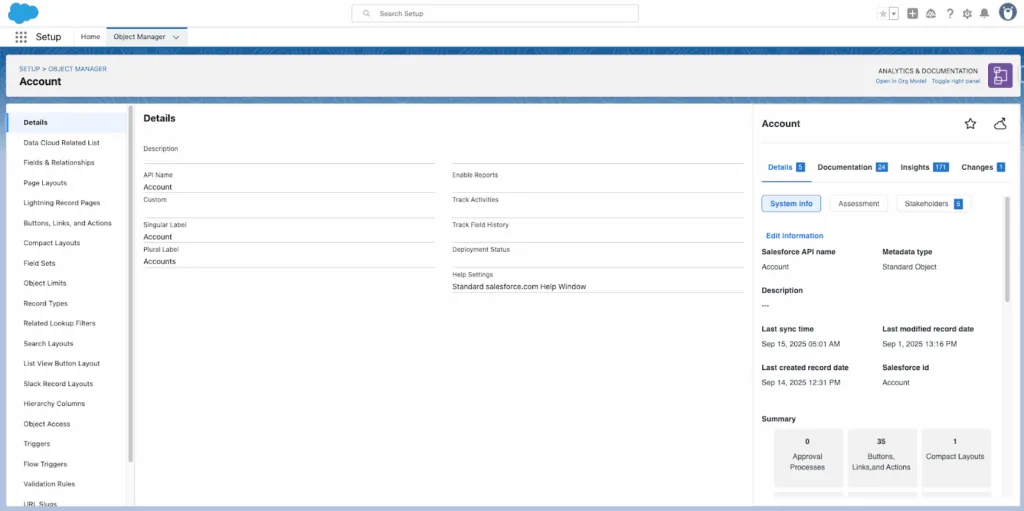
Business Growth and Productivity
Salesforce provides a single platform for tracking leads, opportunities, and sales performance. Sales teams can see where each deal stands and focus on the most promising prospects.
Automation features reduce manual work, such as data entry and follow-up reminders. This allows employees to spend more time on revenue-generating activities.
Built-in analytics helps managers identify trends, forecast sales, and adjust strategies quickly. With real-time dashboards, they can measure progress against targets and address issues before they impact results.
Integration with other business tools, such as ERP or e-commerce platforms, ensures that data flows smoothly across departments. This reduces duplication of work and improves accuracy in reporting. Salesforce also offers tailored solutions and infrastructure to support marketing professionals, helping them streamline marketing activities and improve campaign efficiency.
Customer Satisfaction Impact
Salesforce centralizes customer information, including purchase history, service requests, and communication records. This gives customer service teams a complete view of each account.
With this data, agents can respond faster and provide more personalized support. For example, they can see past issues and avoid repeating troubleshooting steps.
Features like case management and AI-powered recommendations help resolve problems quickly. These tools contribute to higher user satisfaction by enabling faster and more personalized support, ensuring users feel heard and valued. Automated alerts can notify teams when a high-value customer needs attention, reducing the risk of churn.
Marketing teams can also use Salesforce to create targeted campaigns based on customer preferences and behavior. This leads to more relevant offers and stronger engagement.
Collaboration and Communication Advantages
Salesforce improves internal communication by providing shared access to customer records and activity history. This ensures that sales, service, and marketing teams work with the same information.
Built-in collaboration tools like Slack integration allow teams to discuss accounts, share updates, and assign tasks without switching between platforms.
Customizable dashboards make it easy for different roles to track the metrics that matter to them. Managers can monitor team performance, while agents can focus on their daily tasks.
By unifying communication channels, Salesforce reduces miscommunication and speeds up decision-making across departments. This leads to smoother workflows and better customer experiences.
Planning Your Salesforce Implementation
Successful Salesforce implementation depends on clear goals, the right people, and realistic resource planning. Setting clear Salesforce implementation goals and assembling a dedicated project team with defined roles and responsibilities are essential steps to ensure alignment with business strategies and successful adoption. Organizations that define measurable outcomes, assign skilled roles, and align budgets with scope are more likely to achieve a smooth rollout and long-term adoption.
Defining Objectives and Success Metrics
Clear objectives guide configuration and customization decisions. Teams should identify specific business outcomes such as reducing case resolution time, improving lead conversion rates, or increasing forecast accuracy.
Success metrics should include both human-driven and AI-assisted results. For example:
KPIs must be realistic, measurable, and tracked regularly. This ensures the implementation stays aligned with business priorities and provides a clear basis for evaluating return on investment.
At the end of the project, review whether the initial business objectives and CRM goals established at the start have been achieved.
Building Your Implementation Team
A strong team combines technical expertise, business knowledge, and change management skills. Most projects benefit from a Project Manager, Salesforce Administrator, and Business Analyst as core roles. A well-structured Salesforce implementation team typically includes both internal stakeholders, such as project owners, administrators, and power users, and external experts, ensuring all technical, business, and change management responsibilities are covered for a successful deployment.
For more complex setups, organizations may add Salesforce Developers, Data Architects, and AI Specialists, especially when integrating Data Cloud or Agentforce.
Involving stakeholders from IT, operations, sales, and compliance early helps avoid bottlenecks. Cross-functional input ensures requirements are accurate, security is maintained, and workflows are designed for real-world use.
Clear role definitions and communication channels keep the project moving and reduce the risk of scope creep.
Budget and Resource Allocation
Budget planning should cover software licenses, consulting or partner fees, internal labor, training, and post-launch support. It is important to account for ongoing costs such as support, maintenance, updates, and customization beyond the initial implementation, as these recurring expenses can significantly impact your budget. Underestimating these costs can lead to stalled deployments.
Organizations should also plan for ongoing optimization. Salesforce releases updates multiple times a year, and adapting to these changes often requires additional configuration and testing.
A simple budget breakdown might look like
Allocating resources for governance, data quality management, and user adoption programs is critical to sustaining long-term value from the platform.
Salesforce Implementation Strategy
A successful Salesforce implementation depends on careful planning, structured execution, and the right expertise. It requires aligning technology with business goals. Developing a CRM strategy before you implement Salesforce is essential to ensure that the system supports your business objectives and user needs. Managing change effectively and ensuring the platform is configured for long-term scalability are also critical.
Phased Rollout Approach
A phased rollout reduces risk by introducing Salesforce features in planned stages rather than all at once. This allows teams to test, adapt, and refine processes before expanding to more users or functions.
Typical phases include:
- Discovery and Design – Gather requirements, define success metrics, and map data sources.
- Build and Test – Configure objects, workflows, and integrations in a sandbox.
- Pilot Launch – Deploy to a small group, monitor performance, and collect feedback.
- Full Deployment – Expand to the wider organization with training and support. The implementation phase is the critical stage where deployment, user training, and post-deployment activities such as support and feedback collection occur, ensuring a smooth transition and adoption.
Prioritizing requirements based on business impact ensures the critical features are developed first, setting the foundation for a successful implementation.
Each phase should include change management activities such as communication plans, user training, and feedback loops. Tracking KPIs like adoption rates, case resolution times, and automation accuracy helps measure progress and identify issues early. Conducting thorough testing of the Salesforce system ensures that it meets all defined requirements and functions correctly before full deployment.
By sequencing delivery, organizations can address technical or process gaps before scaling, which supports higher adoption and fewer disruptions.
Choosing the Right Implementation Partner
Selecting the right partner is critical for complex Salesforce projects. A qualified partner brings technical expertise, industry knowledge, and proven Salesforce implementation best practices. In hybrid and managed implementation models, a consulting partner collaborates with your organization to develop strategies, customize solutions, and facilitate the implementation process, leveraging their expertise for a successful CRM deployment. Collaborating closely with a Salesforce partner can reduce operational disruptions during implementation.
Key evaluation factors include:
Partners should also demonstrate strong change management strategy capabilities, including user adoption planning and governance frameworks. Consulting partners provide valuable process review, team training, and overall project support to optimize Salesforce project success.
A collaborative approach, where internal teams work closely with the partner, helps ensure the solution matches business priorities and can adapt as needs evolve. Salesforce implementation partners can develop custom workflows tailored to a business’ needs. An SFDC implementation partner brings strategic and technical expertise to requirements gathering, system configuration, and ongoing support, ensuring successful platform adoption and optimization.
Data Migration and Data Quality
Accurate, well-structured data is essential for a smooth Salesforce implementation. Properly migrating and integrating CRM data is crucial to ensuring data accuracy and system unification. Clean, consistent records reduce errors, improve user adoption, and enable reliable reporting across the organization. Poor preparation can lead to duplicate entries, missing information, and costly rework after go-live.
Preparing Data for Migration
Before moving information into Salesforce, teams should identify all source systems, such as legacy CRMs, spreadsheets, or ERP platforms. Each data set should be reviewed to determine what is still relevant and what can be archived. An experienced Salesforce implementation partner can assist with data migration to ensure accuracy and efficiency.
Data cleansing is a key step. This includes:
- Removing duplicates
- Correcting format errors (e.g., phone numbers, email addresses)
- Filling missing fields where possible
It is essential to audit, clean, and migrate data carefully during the Salesforce implementation process to ensure a smooth transition and minimize errors.
Field mapping ensures each source field matches the correct Salesforce object and field type. For example, “Customer Name” in the old system should align with the Account Name field in Salesforce.
Using tools like Data Loader, Data Import Wizard, or API-based integrations can streamline the process. Testing migration steps in a sandbox environment helps catch issues early and prevents disruption in the production system.
Ensuring Data Integrity
After migration, it is critical to confirm that the data in Salesforce is accurate, complete, and functional within workflows. Validation should include checking record counts, field values, and relationships between objects like Accounts, Contacts, and Opportunities.
Automated reports and dashboards can be used to spot missing or inconsistent data. For example, a report showing Accounts with no related Contacts can reveal gaps from migration.
Access permissions should also be reviewed to ensure sensitive information is only visible to authorized users. Maintaining audit logs and backups provides a safeguard in case data needs to be restored.
Ongoing monitoring, combined with clear data governance rules, helps preserve quality and prevents degradation over time. Regular audits ensure the CRM remains a trusted source for decision-making.
Salesforce Configuration and Customization
A well-planned Salesforce setup ensures the platform matches business processes, supports accurate data management, and enables automation where it adds the most value. Understanding and managing your Salesforce environment is crucial for ensuring scalability and adaptability as your organization grows. Careful configuration and targeted customization helps teams work efficiently while keeping the system secure and scalable.
Initial Salesforce Setup
The initial setup begins with defining the organization-wide settings. This includes company profile details, fiscal year structure, and currency configuration. They also set up user roles, profiles, and permission sets to control data access.
Admins configure security settings such as password policies, login IP ranges, and two-factor authentication. These steps protect sensitive customer and business data.
Data models are then established by creating objects, fields, and relationships. Standard objects like Accounts and Contacts are reviewed, and custom objects are added only when needed.
Before launch, they prepare page layouts, record types, and list views to match workflows. This ensures users see only the most relevant information.
A sandbox environment is often used to test configurations before moving them into production. This reduces the risk of errors during go-live.
Custom Features and Workflows
Custom features allow Salesforce to adapt to unique business processes. Custom fields capture data not covered by standard fields, while validation rules prevent incorrect entries.
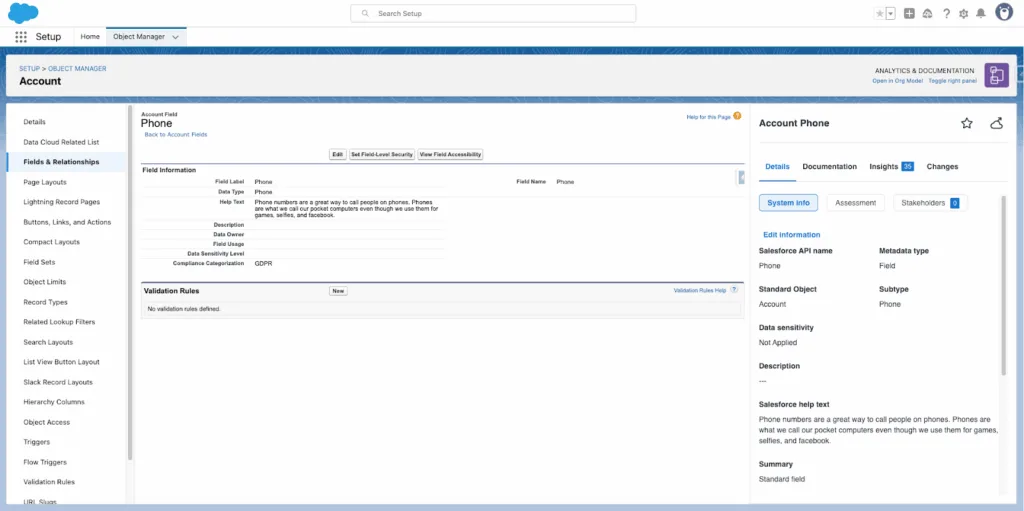
Automation tools such as Flow or Apex Triggers handle repetitive tasks. For example, a flow can automatically assign leads based on geography or product interest.
Custom Lightning pages and components improve usability by displaying key metrics or actions in one place. These components can be built with low-code tools or developed using Lightning Web Components for more complex needs.
Approval processes ensure that high-value deals or sensitive changes go through proper review. This helps maintain compliance and quality control.
Version control and documentation are important for tracking changes. This makes it easier to troubleshoot issues and train new admins.
Integration with Existing Systems
Integration connects Salesforce with other business tools, ensuring data flows smoothly between platforms. Common integrations include ERP systems, marketing automation platforms, and customer support tools.
Data integration can be done through APIs, middleware platforms like MuleSoft, or native Salesforce connectors. The choice depends on system complexity and data volume.
Admins map fields carefully to avoid mismatched or duplicate data. They also set synchronization schedules to ensure updates happen in real time or at defined intervals.
Security is a priority during integration. OAuth authentication, encryption, and field-level access controls help protect data as it moves between systems.
Testing integration in a sandbox before deployment helps to identify errors early and prevents disruptions to live operations.
Leveraging Salesforce Products and AppExchange
Salesforce offers integrated products that address sales, service, and marketing needs while allowing customization through a large ecosystem of third‑party apps. These tools work together to streamline processes, improve data accuracy, and provide actionable insights that help teams work more efficiently. Regular Salesforce releases introduce new capabilities that organizations can leverage for ongoing improvement and optimization.
Sales Cloud and Service Cloud
Sales Cloud supports lead management, opportunity tracking, and forecasting. It centralizes customer and prospect data, making it easier for sales teams to follow up and close deals. Features like pipeline visualization and AI‑driven insights help prioritize the most promising opportunities.
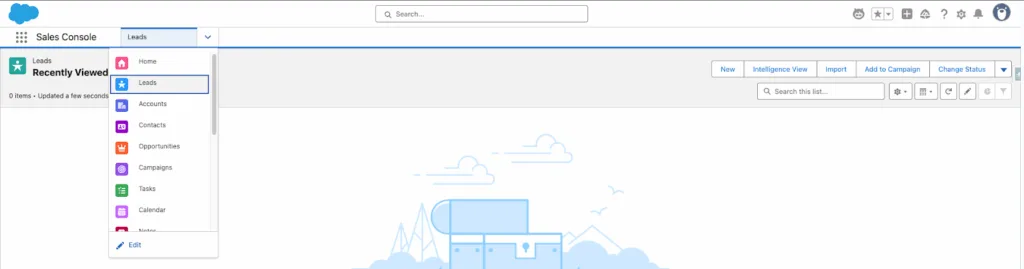
Service Cloud focuses on customer support and case management. It enables agents to handle inquiries across channels such as email, phone, chat, and social media. Built‑in knowledge bases and automated workflows reduce resolution times.
Both products integrate with analytics tools to track KPIs like conversion rates, case resolution speed, and customer satisfaction scores. This shared data environment helps sales and service teams coordinate efforts and deliver consistent customer experiences.
Marketing Cloud and Pardot
Marketing Cloud manages campaigns across email, social, SMS, and advertising platforms. It allows segmentation of audiences, automation of messages, and tracking of engagement metrics. Journey Builder maps customer interactions to deliver relevant content at each stage.
Pardot is designed for B2B marketing automation. It scores and nurtures leads based on engagement, helping sales teams focus on prospects most likely to convert. It also offers landing page creation, form handling, and campaign reporting.
When used together, Marketing Cloud and Pardot provide both broad reach and targeted lead nurturing. Marketing Cloud handles large‑scale, multi‑channel campaigns, while Pardot ensures qualified leads are passed to sales with complete interaction histories.
AppExchange Apps and Solutions
The Salesforce AppExchange is a marketplace with thousands of apps and certified experts. These solutions extend Salesforce products without requiring custom development.
Businesses can find industry‑specific tools, automation workflows, analytics dashboards, and integrations with services like Microsoft 365, PayPal, or Zoom. Many apps are free or offer trial versions.
Examples include Conga CPQ for quote generation, Tableau for advanced analytics, and Natterbox for integrated voice communication. Apps undergo Salesforce security reviews to ensure data protection.
By selecting the right AppExchange apps, organizations can fill functional gaps, improve productivity, and adapt Salesforce to their exact operational needs.
Driving User Adoption and Training
Successful Salesforce implementation depends on how well people use the system in their daily work. Clear training, practical adoption strategies, and addressing resistance early help ensure the platform delivers value and supports business goals. Onboarding programs are essential for training end-users and system administrators, helping them understand the system, adopt best practices, and align with business objectives.
Collecting user feedback and providing ongoing support are also crucial to ensure long-term user satisfaction and continuous system effectiveness.
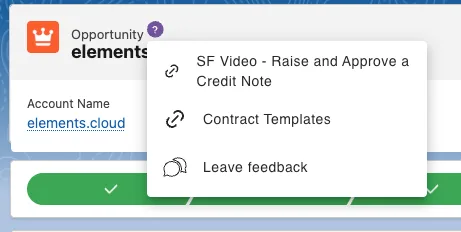
User Training Programs
Training should focus on the specific tasks users perform in Salesforce. Generic sessions often leave gaps, so programs must reflect real workflows.
A mix of learning formats works best:
- Hands-on workshops for practical skills
- Online modules for flexible learning
- Reference guides for quick answers
Training should be role-based. Sales teams may need pipeline management skills, while service teams focus on case resolution tools.
Regular refresher sessions help reinforce skills and introduce new features. Tracking completion rates and testing knowledge ensures users can apply what they learn.
Strategies for Salesforce Adoption
Adoption improves when users see direct benefits in their work. This means configuring Salesforce to remove unnecessary steps and making data entry simple.
Effective tactics include:
- Setting up dashboards that display relevant KPIs
- Automating repetitive tasks to save time
- Providing quick access to customer data in one place
Identifying “Salesforce champions” within each department can drive peer support. These champions answer questions, share tips, and encourage consistent use.
Management should also review usage reports. Low activity in certain areas may indicate the need for more training or process adjustments.
Overcoming Resistance to Change
Resistance often comes from uncertainty or fear of an extra workload. Addressing these concerns early increases acceptance.
Leaders should explain why Salesforce is being implemented and how it aligns with company goals. Clear communication reduces misunderstandings.
Involving users in early testing can help them feel ownership over the system. Feedback sessions allow them to suggest improvements before full rollout.
Small, measurable wins, such as faster deal tracking or easier reporting, help demonstrate value quickly. Recognizing individuals who adopt the system well can encourage others to follow.
When resistance persists, one-on-one coaching can address specific concerns and provide tailored guidance. This personal approach can be more effective than group training alone.
Optimizing CRM Processes and Lead Management
Effective CRM optimization ensures that customer data is accurate, accessible, and actionable. Treat CRM optimization as an ongoing Salesforce project that requires continuous management, project planning, and active stakeholder involvement to drive successful adoption and results.
Lead Management Best Practices
A structured lead management process helps teams capture, qualify, and route leads efficiently. Clear criteria for what defines a qualified lead should be agreed upon between marketing and sales. This prevents wasted time on low-value prospects.
Leads should be captured from multiple channels, such as web forms, events, and inbound calls, and entered directly into the CRM. Automation rules can assign leads to the right sales representative based on territory, product interest, or industry.
Regular lead scoring ensures that the most promising opportunities receive attention first. Scoring can be based on factors like engagement level, company size, or purchase intent.
It is also important to track lead status in the CRM using consistent stages, such as:
Streamlining Sales Processes
An optimized CRM should guide sales teams through each step of the sales cycle. Standardized workflows ensure that follow-ups, proposals, and approvals happen on time.
Automated reminders can help sales representatives avoid missed calls or overdue tasks. Pipeline tracking in the CRM provides visibility into deal progress and helps managers forecast revenue more accurately.
Integrating the CRM with email, calendar, and document tools reduces manual data entry. For example, emails can be logged automatically, and proposals can be generated from pre-approved templates.
Sales teams should also review process metrics, such as average deal size, sales cycle length, and win rate, to identify bottlenecks. Adjusting workflows based on this data can improve efficiency and reduce delays in closing deals.
Measuring Success and Continuous Improvement
Organizations can evaluate the impact of their Salesforce implementation by monitoring measurable outcomes, using built-in reporting tools, and refining processes based on data. Involving Salesforce experts at this stage is valuable, as their technical skills and industry knowledge help ensure ongoing optimization and adherence to best practices. Post-implementation, teams should evaluate the performance of the system against set goals. This approach ensures the system continues to meet business needs and supports long-term goals.
Tracking Key Performance Indicators
Key performance indicators (KPIs) provide measurable evidence of progress. They help determine if Salesforce is delivering the expected results.
Common Salesforce KPIs include:
Tracking KPIs regularly helps identify trends and areas needing attention. For example, low user adoption may signal the need for additional training or simpler workflows.
Salesforce Reporting and Analytics
Salesforce provides native reporting tools that allow users to create, customize, and schedule reports. These tools help visualize performance across teams, campaigns, and processes.
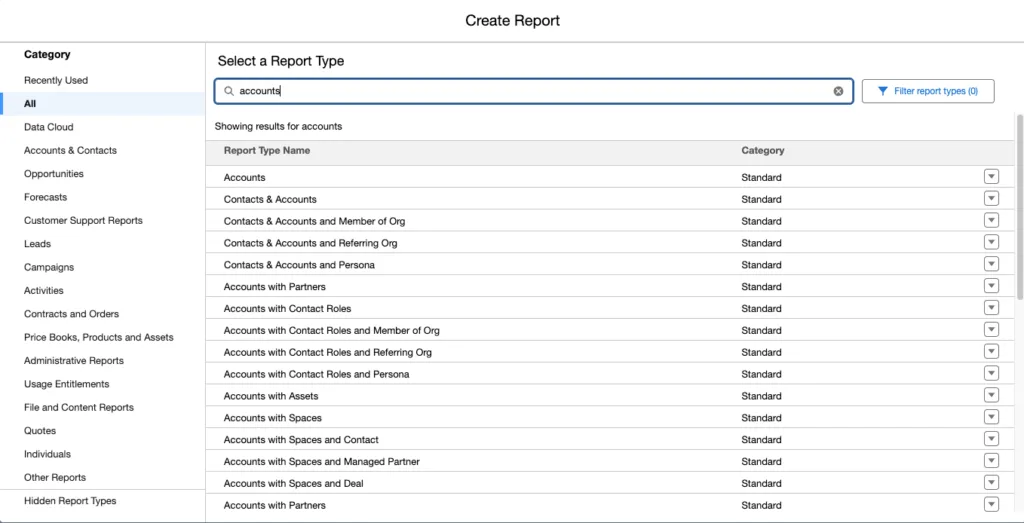
Reports can include dashboards for real-time insights. For example, a fundraising dashboard might show total donations, donor retention rates, and campaign performance.
Custom filters and grouping options allow managers to focus on specific data sets, such as leads by source or opportunities by stage. Exporting reports for offline analysis can also support more detailed reviews.
Analytics features, such as trend analysis, help organizations compare current performance to historical data. This supports informed decision-making and goal adjustments.
Continuous Optimization Strategies
Continuous improvement in Salesforce involves making small, targeted changes based on performance data.
Steps often include:
- Review KPIs monthly to spot declines or improvements.
- Gather feedback from active users on system usability.
- Refine automation to remove unnecessary steps or add efficiency.
- Update data standards to maintain accuracy over time.
Organizations may also expand Salesforce functionality by adding relevant apps from AppExchange or enabling new features in existing modules.
Regular system audits ensure configurations still align with business processes. This helps prevent outdated workflows from slowing productivity or causing data errors.
Ensuring Long-Term Success with Salesforce
Long-term results depend on consistent user participation and a clear plan for keeping the system reliable. Success also relies on maintaining accurate data, adapting to business changes, and ensuring teams have the right tools and support.
Sustaining User Engagement
User engagement drops when employees do not see clear value in the system. Teams should link Salesforce features directly to daily tasks, such as lead tracking or case management, so users understand the benefit.
Regular training refreshers help reinforce best practices. These can be short sessions, quick reference guides, or recorded demos. New hires should receive onboarding that includes Salesforce workflows relevant to their role.
A clear communication plan keeps users informed about updates, changes, and tips. This should include defined communication channels such as email newsletters, intranet posts, or chat groups.
Collecting feedback through surveys or user forums allows leaders to identify pain points early. Acting on this feedback builds trust and shows that input leads to improvements.
Recognition programs, such as highlighting top Salesforce adopters in team meetings, can also encourage consistent use.
Ongoing Support and Maintenance
A dedicated support process ensures users have help when issues arise. This can include an internal help desk, ticketing system, or a designated Salesforce administrator.
Regular maintenance tasks should include:
- Reviewing data quality and removing duplicates
- Updating automation rules to match current processes
- Checking system performance and storage limits
Scheduled health checks help spot configuration issues before they affect productivity. These can be done quarterly or biannually, depending on system complexity.
Clear escalation paths for technical problems reduce downtime. Support teams should document fixes so recurring issues can be resolved faster.
Finally, tracking adoption metrics and system usage helps determine if additional training, features, or process changes are needed. This ensures Salesforce continues to meet business needs over time.
Frequently Asked Questions
A successful Salesforce rollout depends on careful planning, the right expertise, and clear communication. Costs, timelines, and outcomes vary based on business size, complexity, and scope.
Addressing risks early, involving users in the process, and following a structured checklist can reduce delays and improve adoption.
What are the key steps in a successful Salesforce implementation plan?
Start by defining business goals and gathering requirements from all relevant teams. Next, design the system architecture, configure Salesforce, and integrate it with existing tools.
Testing, data migration, training, and a phased rollout follow. Continuous monitoring and updates ensure the system remains aligned with evolving needs. The last step is to go live with the system, marking the official use of Salesforce within the organization.
How do I select the right Salesforce implementation partner for my business?
Look for a partner with proven Salesforce certifications, relevant industry experience, and strong client references.
It is important to confirm the partner’s role, responsibilities, and deliverables in a clear contract. A good partner will also provide guidance on best practices and long-term support.
What is the typical cost range for implementing Salesforce in an organization?
Small businesses may spend $10,000–$50,000 for basic setups. Larger enterprises with complex requirements can expect costs from $100,000 to several hundred thousand dollars.
Costs depend on licenses, customization, integrations, data migration, training, and ongoing support.
What are the essential items to include in a Salesforce implementation checklist?
A checklist should cover executive sponsorship, project scope, budget approval, and the selection of an implementation partner.
It should also include data migration planning, user training, testing procedures, change management, and post-launch support.
What are the common challenges faced during Salesforce implementation, and how can they be mitigated?
Common issues include unclear requirements, poor data quality, and low user adoption.
They can be reduced by involving end users early, cleaning and validating data before migration, and providing targeted training. Regular progress reviews help catch and fix problems quickly.
How can I ensure a smooth transition for my team to the new Salesforce system?
Leaders should communicate changes clearly, explain the benefits, and provide role-specific training.
Offering hands-on practice, ongoing support, and collecting feedback after launch helps users adapt faster and use the system effectively.
Implementing CRM Software
Implementing CRM software is a pivotal step for organizations aiming to streamline business processes and enhance customer relationships. A successful CRM implementation can transform how your teams manage sales, service, and marketing activities, leading to increased efficiency and improved customer satisfaction. The journey to a new CRM system begins with a thorough understanding of your business processes and selecting a CRM solution that aligns with your strategic objectives.
The CRM implementation process typically unfolds in several key phases:
- Planning: Define your business goals, map out existing workflows, and set clear expectations for what the new CRM should achieve.
- Configuration: Tailor the CRM system to fit your unique requirements, including customizing fields, objects, and automation to support your business processes.
- Data Migration: Carefully transfer data from legacy systems or spreadsheets into the new CRM, ensuring accuracy and completeness to maintain business continuity.
- Testing: Validate that all configurations, integrations, and data migrations function as intended, minimizing the risk of disruptions during go-live.
- Training: Equip your team with the knowledge and skills needed to use the new CRM software effectively, driving user adoption from day one.
Partnering with an experienced Salesforce implementation partner can make a significant difference at every stage. A trusted implementation partner brings deep expertise in CRM implementation, helps navigate complex data migration, and ensures your new CRM system is set up for long-term success. By following these key phases and leveraging the right support, your organization can achieve a smooth transition and unlock the full value of your CRM investment.
The Role of a Salesforce Consultant in Implementation
A Salesforce consultant is instrumental in guiding organizations through the Salesforce implementation process, ensuring that the CRM system is tailored to meet specific business needs and objectives. Acting as both a strategic advisor and technical expert, a Salesforce consultant works closely with stakeholders to assess current business processes, identify gaps, and design solutions that align with your business goals.
During the implementation process, the Salesforce consultant leads the configuration of the Salesforce platform, customizing it to support your unique workflows and data requirements. They oversee data migration, ensuring that customer information and historical records are accurately transferred into the new system. Additionally, the consultant provides comprehensive training to end-users, empowering your team to make the most of the CRM system from day one.
Beyond the initial rollout, a Salesforce consultant continues to add value by recommending enhancements, optimizing processes, and ensuring the CRM platform evolves alongside your business. Their expertise helps you avoid common pitfalls, maximize return on investment, and achieve a successful Salesforce implementation that drives measurable results. By partnering with a skilled Salesforce consultant, you can confidently navigate the complexities of the Salesforce platform and realize your business goals.
Conclusion
In conclusion, implementing a CRM system like Salesforce is a multifaceted process that, when executed thoughtfully, can deliver transformative results for your organization. By understanding the key phases of CRM implementation and leveraging the expertise of a Salesforce consultant and a trusted Salesforce implementation partner, you can ensure a smooth transition and set the stage for long-term success.
Remember, the journey doesn’t end at go-live. Ongoing training, support, and continuous evaluation are essential to keep your CRM system aligned with evolving business needs. By following best practices for implementing Salesforce, investing in user adoption, and working with the right implementation partner, your organization can drive business growth, improve customer satisfaction, and achieve your strategic objectives. With a clear vision, expert guidance, and a commitment to continuous improvement, implementing Salesforce becomes a powerful catalyst for lasting business success.